How a Freelancer Saved Hours by Using TempZap to Manage Spam
How a Freelancer Saved Hours by Using TempZap to Manage Spam
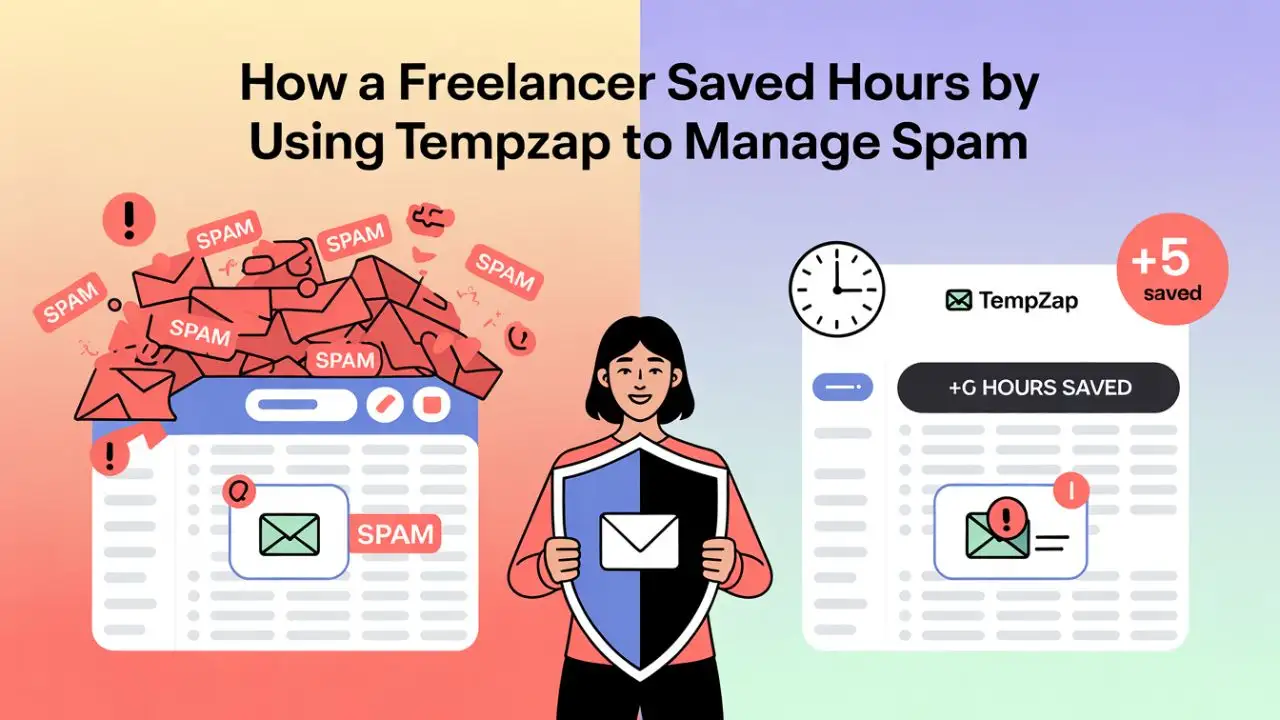
Meet Sarah, a freelance graphic designer who landed clients through Upwork, Instagram, and her portfolio website. She loved her work, but there was one thing draining her energy: her email inbox. Every morning, she faced a flood of spam—newsletters, marketing offers, and automated messages from sites she’d signed up for years ago. Buried among them were genuine client emails she couldn’t afford to miss.
“I was spending at least an hour every day just deleting spam,” Sarah recalls. “Sometimes I’d miss a client inquiry because it got lost in the noise. I knew I needed a better way.”
That’s when she discovered TempZap, a free temporary email service. What started as a simple experiment turned into a productivity breakthrough that saved her hours each week.
The Problem: Spam Overload from Client Signups
As a freelancer, Sarah regularly signed up for new tools: project management apps, stock photo sites, webinar platforms, and client‑specific portals. Each registration required an email address. She used her primary Gmail account for everything.
The consequences quickly piled up:
- Constant interruptions – Her phone buzzed with every promotional email.
- Missed opportunities – Important client emails sometimes slipped into spam or got overlooked.
- Mental fatigue – The daily chore of cleaning her inbox ate into creative time.
- Privacy concerns – She realized her email was being sold to third‑party marketers without her consent.
According to a 2023 report, spam accounts for nearly 45% of all email traffic. For freelancers like Sarah, that translates to hours of lost productivity.
The Solution: Adopting TempZap for Non‑Essential Registrations
After reading about temporary email on a productivity blog, Sarah decided to try TempZap. She was surprised by how simple it was.
Step 1: Generate a disposable address instantly
She visited tempzap.com and saw a temporary email address ready to use—no signup, no payment. She copied it in seconds.
Step 2: Use it for all low‑priority signups
From that day forward, every time a website asked for an email—whether it was to download a free resource, test a new tool, or register for a webinar—she used her TempZap address.
Step 3: Check the temporary inbox only when needed
Verification links and OTP codes appeared in her TempZap inbox instantly. She could retrieve them without ever opening her primary email. After the task was done, she let the inbox expire (TempZap auto‑deletes after 48 hours).
“It felt like putting up a firewall between me and the spam world,” Sarah says. “My real inbox became a sacred space for actual client work.”
The Results: Cleaner Inbox, Less Distraction, Regained Privacy
Within two weeks, Sarah noticed dramatic changes:
⏱️ 5+ Hours Saved Per Week
She no longer spent time unsubscribing from newsletters or sorting through junk. That extra time went directly into billable client projects—adding an estimated $200 to her weekly income.
📧 Inbox Zero, Actually Achieved
Her Gmail now contained only client communications, project updates, and important notifications. She could scan everything in minutes, not hours.
🔒 Privacy Restored
Sarah stopped worrying about data brokers selling her email address. “I feel more in control of my digital identity,” she says. “TempZap helps me keep my real email private.”
📈 Better Client Responsiveness
Because she wasn’t drowning in spam, she responded to new inquiries faster. Several clients mentioned they appreciated her quick replies.
For more on the privacy benefits, read: Is Temporary Email Safe? Risks, Benefits & Best Practices.
How You Can Do the Same
Sarah’s story is just one example. Any freelancer, small business owner, or professional can replicate her success. Here’s a simple roadmap:
- Identify all non‑essential registrations – newsletters, trial accounts, forum signups, etc.
- Generate a new TempZap address for each new signup (or reuse one until it expires).
- Use the temporary inbox only to retrieve verification links or one‑time passwords.
- Let it expire – no cleanup required.
- Enjoy a cleaner primary inbox and regain your time.
You can even create a free TempZap account to access additional domains and keep your favorite addresses. Learn more: How to Use Premium Temporary Mail on TempZap for Free.
Beyond Spam: Other Productivity Wins
Temporary email isn’t just for spam control. Sarah also uses TempZap for:
- Testing client websites – She creates test user accounts without using real emails.
- Signing up for free trials – She avoids accidental auto‑renewals on services she only needs once.
- Gated content – When downloading free resources, she doesn’t worry about being added to marketing lists.
For a deeper dive into testing applications with disposable email, see: How Developers Use Temporary Email for Testing.
Conclusion
Sarah’s story proves that a small change in how you manage email can have a massive impact on productivity and peace of mind. By using TempZap for non‑essential registrations, you can reclaim hours each week, protect your privacy, and focus on what truly matters—whether that’s creative work, building your business, or simply enjoying a calmer digital life.
Ready to take back your inbox? Visit TempZap and generate your first temporary email address in seconds—no strings attached.
Sarah’s story is based on real experiences shared by many TempZap users. Names and details have been changed for privacy.